Move recruits through your pipeline
Use the pipeline board to move each recruit from new to roster.
Last checked October 10, 2026
Open Recruiting, then Pipeline. Each stage is a column:
- New intake
- Under review
- Contacted
- Interested
- Follow-up needed
- Offer Extended
- Accepted
- Rejected
- Completed
- Moved to roster
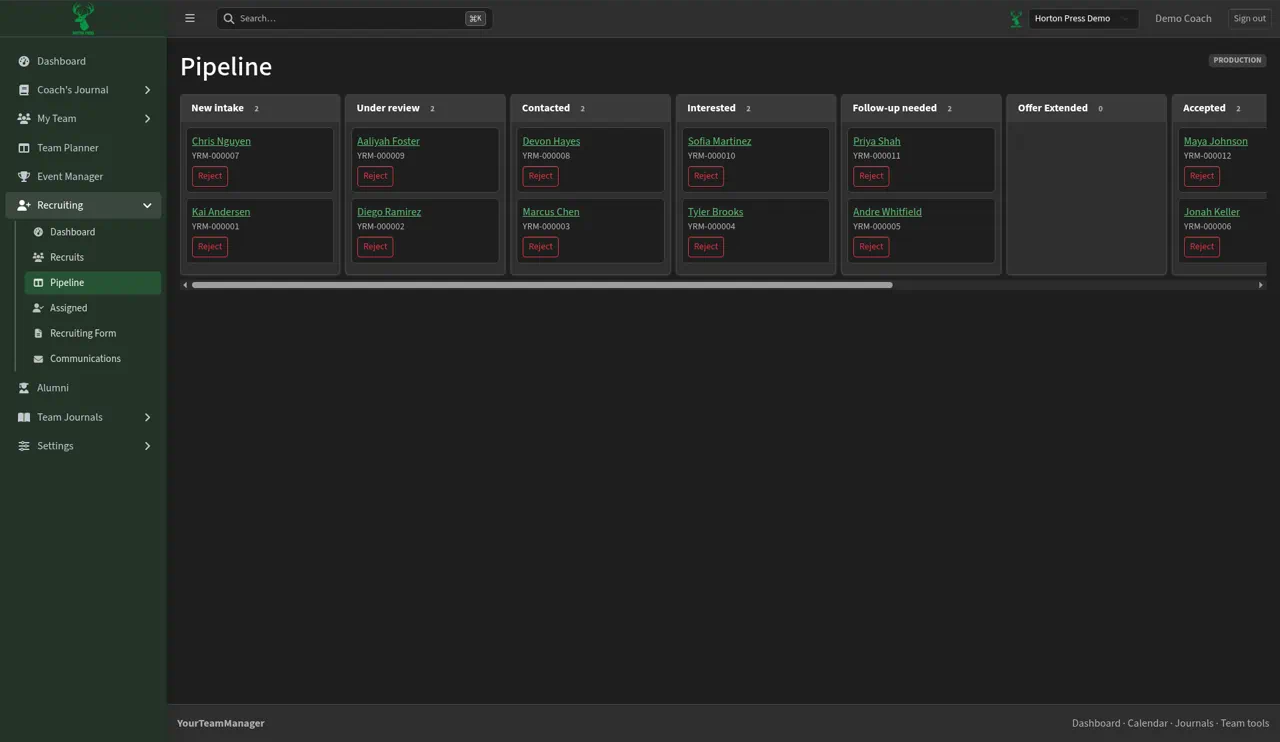
Move a recruit
- Scroll sideways to find the column.
- Drag the card to the next stage.
- Select Reject on a card when someone's no longer a fit.
Learn more and see other program tools and resources at www.hortonpress.com.
