
Share the form
- Open Recruiting, then Recruiting Form.
- Copy the form's link and share it with prospects.
New submissions show up in your recruit list. If Completed recruiting forms is on under Planner Settings, each one also adds a Team Planner card.
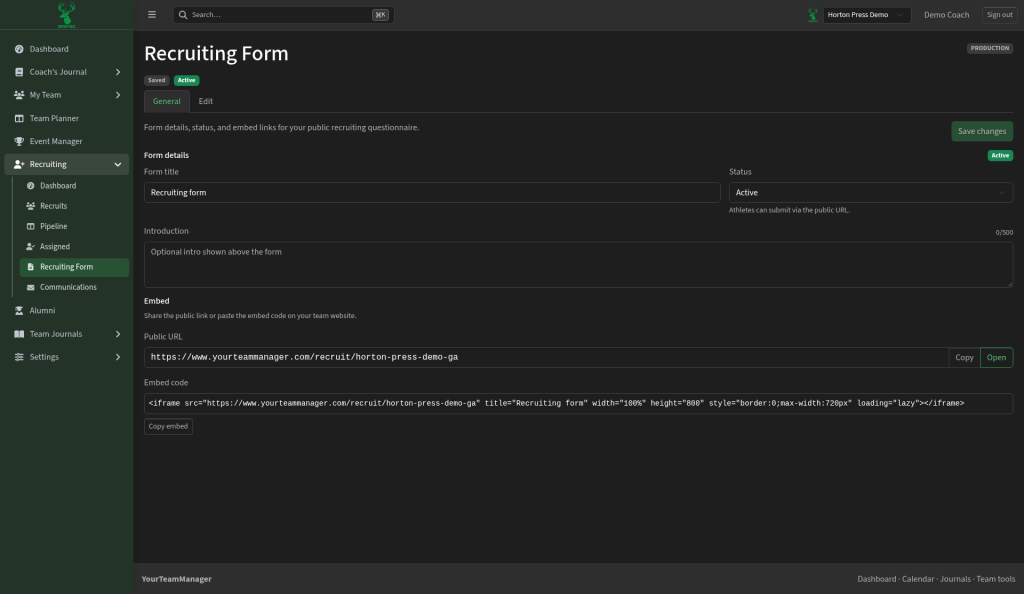
The form uses your team's Primary color, set under Settings, then General.
Change the thank-you message
Recruiting Settings is part of Settings. Recruiting is on the Gold program license. If Recruiting isn't turned on for your team, the page says "Recruiting is a paid add-on" and shows a Request Access button instead of the settings.
- Open Settings, then Recruiting Settings.
- Under Form & auto-reply, edit the message.
- Save.