
Team Notes is a shared notebook for your coaches. In the side menu, open Coach's Journal, then select Team Notes.
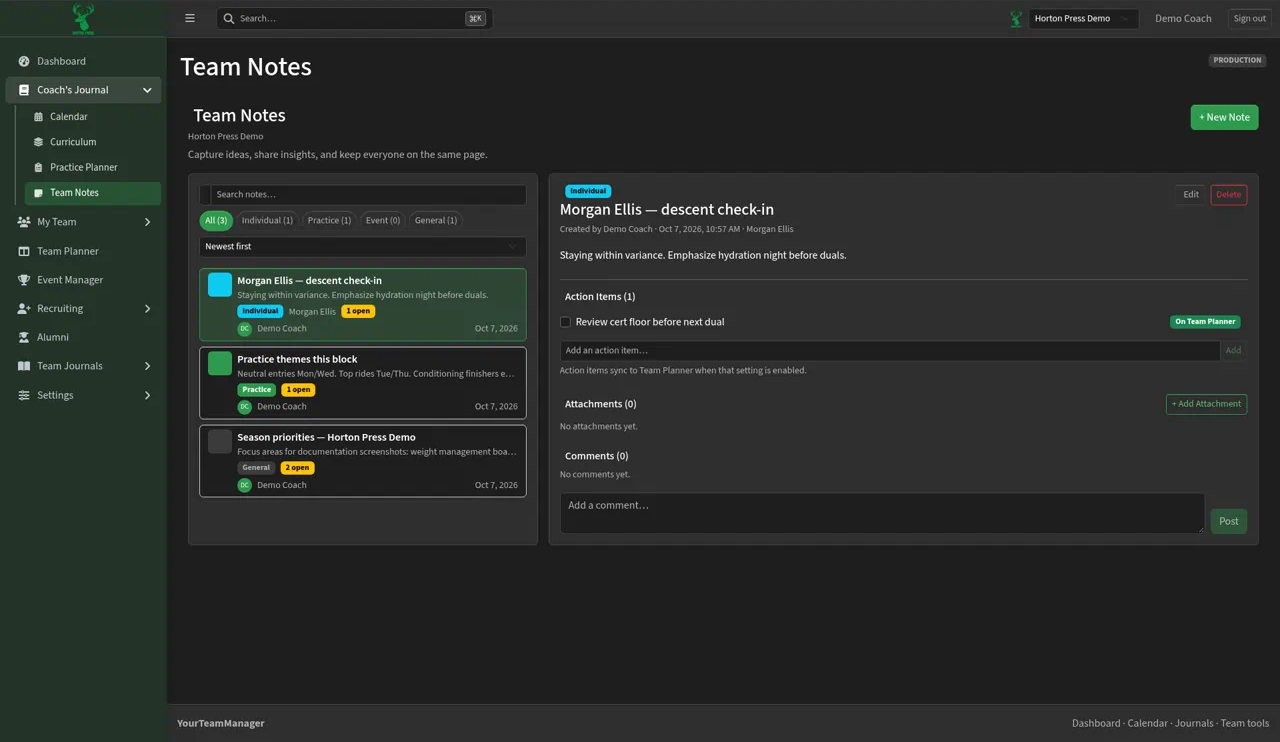
Write a note
- Select + New Note.
- Pick a category:
- Individual: about one athlete. It also shows on that athlete's profile.
- Practice: themes or reminders from the room.
- Event: duals, tournaments and travel.
- General: season priorities and team-wide notes.
- Write the note and save.
Find notes
- Filter by All or a category.
- Sort with Newest first or another order.
- Search by keyword.
Inside a note
- Edit and Delete are at the top.
- Attachments: select + Add Attachment to add a file.
- Comments: write to the other coaches and select Post.
- Action Items: see Turn action items into tasks.