
Access can come from an Apple purchase or a team license. Team licenses are managed by your coach.
Check access
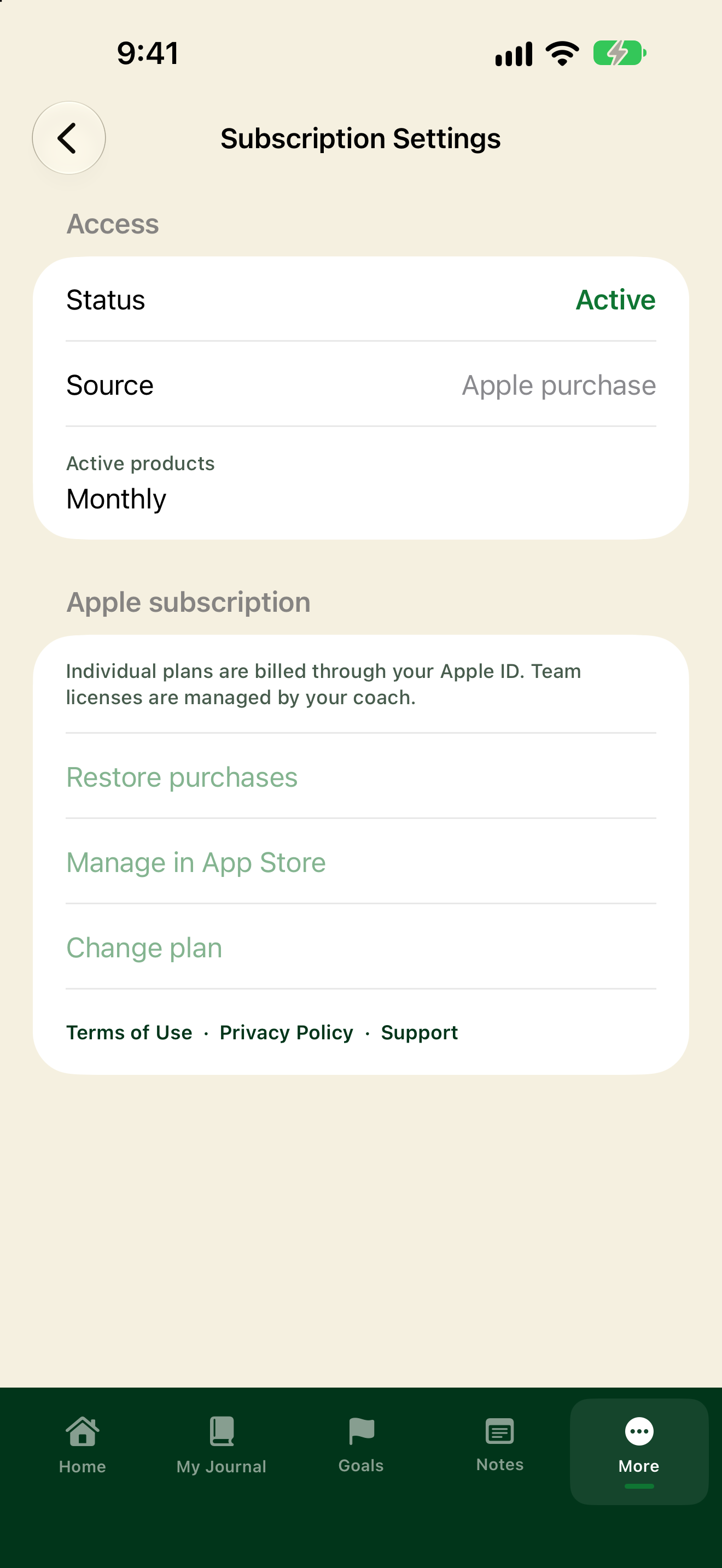
- Tap More, then Subscription Settings.
- Under Access, see whether Status is Active or Inactive, and whether Source is Apple purchase or Team license.
- If you have an Apple plan, Active products shows which one (for example Monthly).
Subscribe or change plan
- Tap Subscribe (or Change plan if you already have an Apple subscription).
- Pick Monthly, Annual, or Lifetime and follow the Apple prompts.
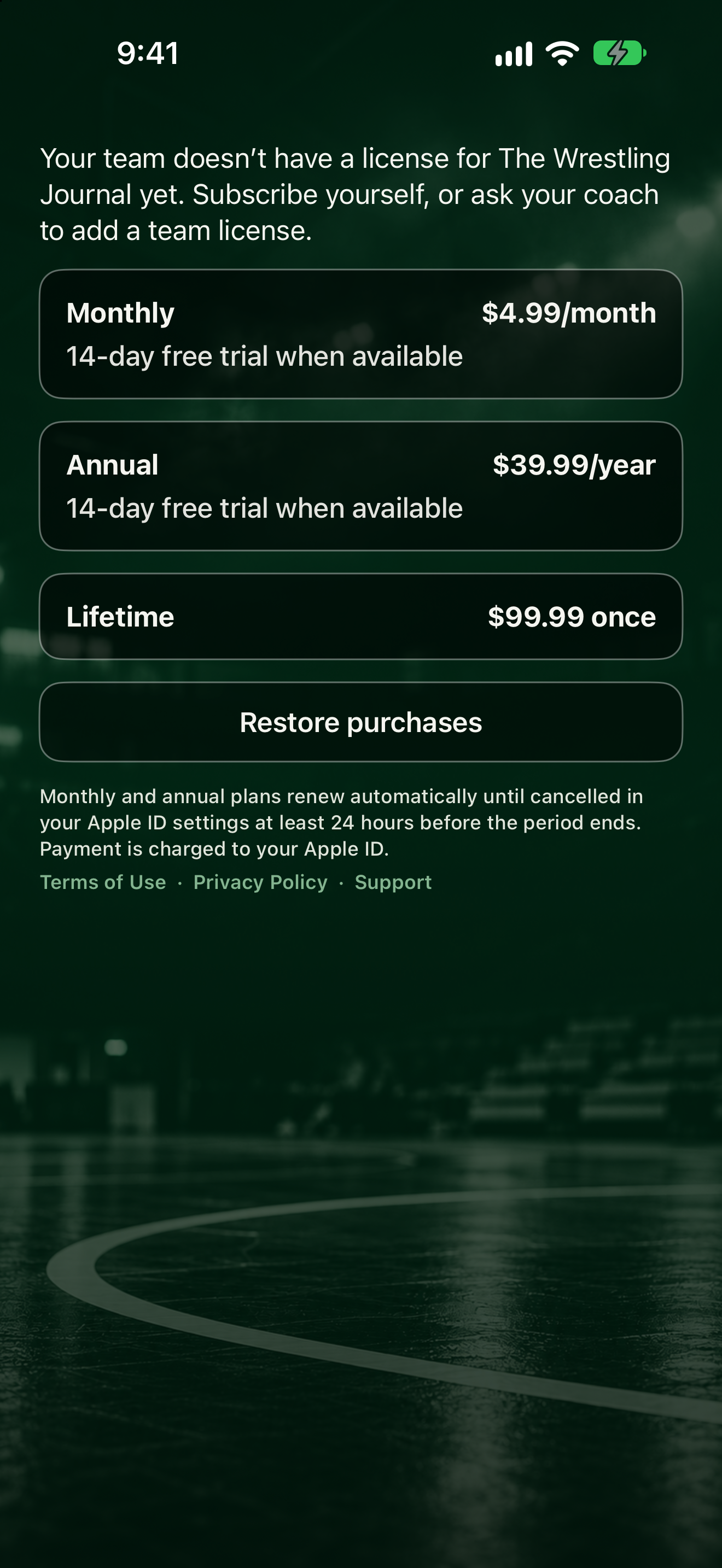
- Already paid on this Apple account? Tap Restore purchases.
- To cancel or manage billing, tap Manage in App Store.
If Lifetime is blocked while Monthly or Annual is active, the app tells you to cancel Monthly or Annual in Manage in App Store before buying Lifetime.