
Open Settings, then General.
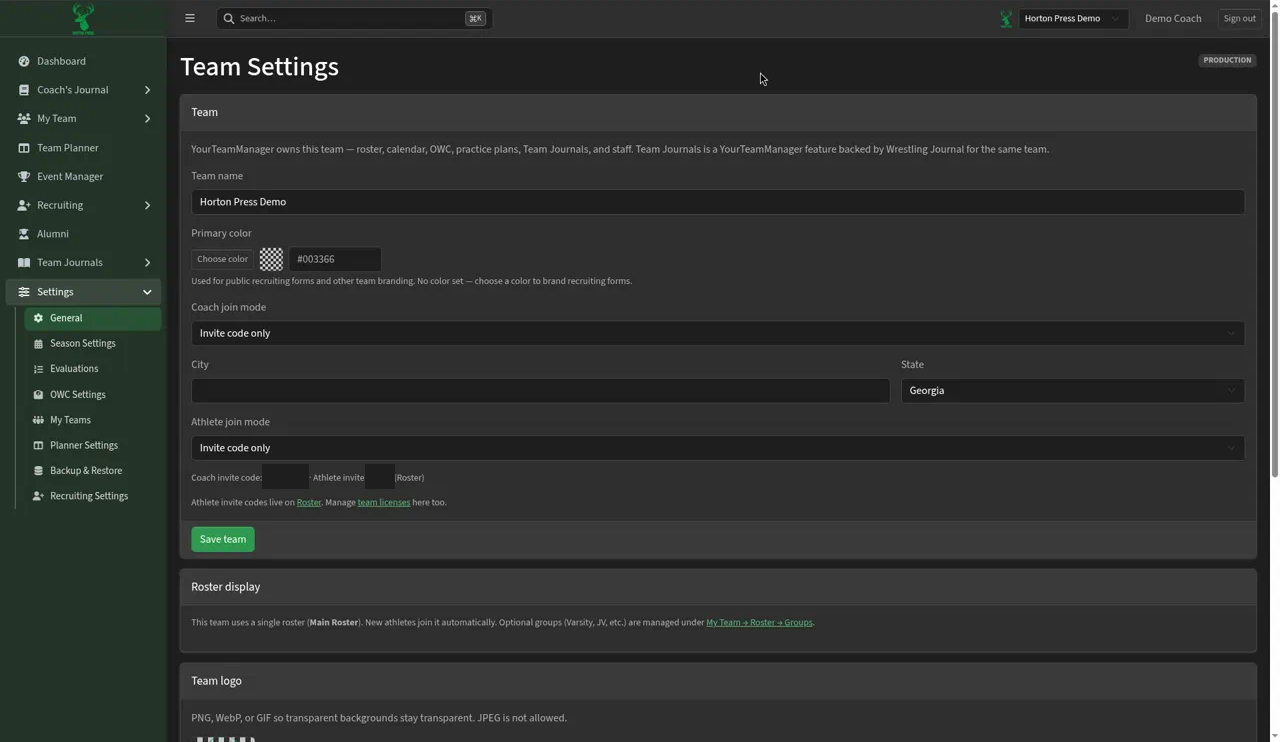
Change details
- Change any of these:
- Team name
- Primary color: select Choose color. It's used on your recruiting form and other team branding.
- Coach join mode and Athlete join mode: for example invite code only.
- City and State
- Team logo. PNG works best on flyers.
- Select Save team.
Invite codes
Your Coach invite code shows under the join settings. To invite athletes to their journal, see Invite athletes to Team Journals.
A team licenses link is also on this page, for Wrestling Timer seats included with Silver and Gold program licenses. See Manage Wrestling Timer licenses.
Check-in settings
This page also holds your team's Check-in settings. The Check-in settings button on Check-in opens them.