
Staff
Staff is where you manage who can coach inside Your Team Manager for this team.
How to open it
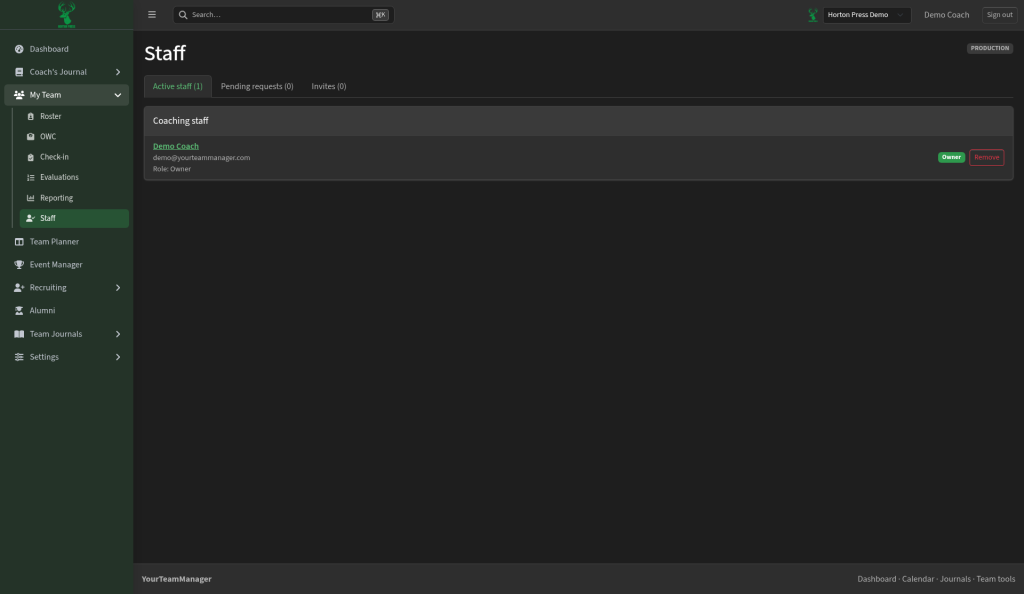
In the side menu, open My Team, then select Staff.
Tabs
- Active staff — people who already have access, with their role (for example Owner)
- Pending requests — coaches waiting for approval
- Invites — invitations you have sent that are not finished yet
What you can do
- Review each staff member’s name, contact email, and role.
- Remove someone when they should no longer have access.
- Send invites from the Invites tab so new coaches can join.
- Approve or decline items under Pending requests.
Tips
- Keep Owner access limited to people who should change team-wide settings.
- After you invite someone, ask them to check email for the join link or code your team uses.