
Dashboard
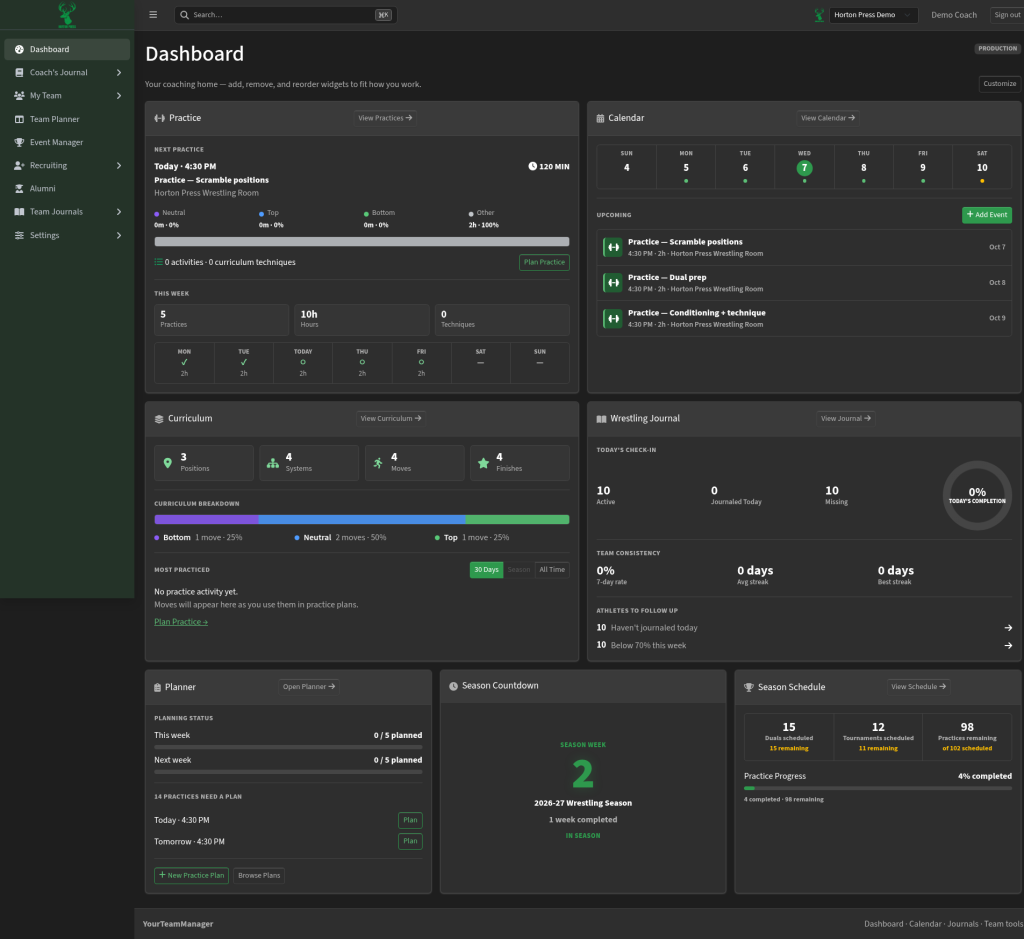
The Dashboard is your coaching home. It shows a quick snapshot of practice, calendar, curriculum, planner work, and where you are in the season.
How to open it
Select Dashboard at the top of the side menu.
What you can do
- See the next practice — time, length, and a simple breakdown of what you planned to work on.
- Scan upcoming events on a week strip, or jump straight to the full calendar.
- Check curriculum counts — how many positions, systems, moves, and finishes you have built.
- Spot practices that still need a plan and open them from the planner card.
- Watch the season countdown — which week you are in and how many duals, tournaments, and practices remain.
Customize your home
Select Customize (top right) to add, remove, or reorder cards so the home screen matches how you work.
Quick links from the cards
Most cards include buttons such as Plan Practice, View Calendar, + New Practice Plan, or Browse Plans. Use those when you want to jump into the full tool instead of staying on the summary.